July 25, 08
by
Crossover
advertisment
Thanks for visiting! If you're new here, you may want to subscribe to my Rss Feed. This blog posts regular Internet news, updates for apps, security, ideas, hacks, quick fixes and everything about hi-tech. Go ahead, subscribe to our feed!
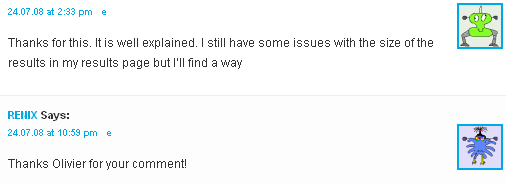
Finally I update the last version of the script, Wordpress 10 days ago release the lasted version with new features and bug fixes. I make also some modification on code tag view (see preview below
) and we have also avatar for comments. If your theme don’t support Wordpress avatar just open comments.php file and find:
<?php comment_author_link() ?>
and paste this code:
<?php echo get_avatar( $comment, 32 ); ?>
Another Check Point for me is to make a custom theme for the site…This current theme is hardest coded by me
and need a lot of time to load, so will be a lot of work to have all this things for the new one. If someone can help me with some ideas for the new theme I will appreciate a lot.
Thanks every one for visiting this blog. See you around with new hacks and a lot of free stuff.
Share This
July 19, 08
by
ReniX
advertisment
Again with Wordpress and for this time with some nice plug-ins to manage our downloads in the blog.
The fist plug-in that I want to speak is Download Monitor by Mike Jolley. Download Monitor is a plugin for uploading and managing downloads, tracking download hits, and displaying links.
Read the rest of this entry »
Share This
July 18, 08
by
ReniX
advertisment
When we receive mail from our Wordpres blog, we see that the default mail is wordpress@yourdomain.com! Times ago I searched on Wordpress files and change the default mail, but every time that I update/upgrade the blog is necessary to make again the file changes. So is so boring. I will show you how to make custom mail sender, with one click
Read the rest of this entry »
Share This
July 15, 08
by
Crossover
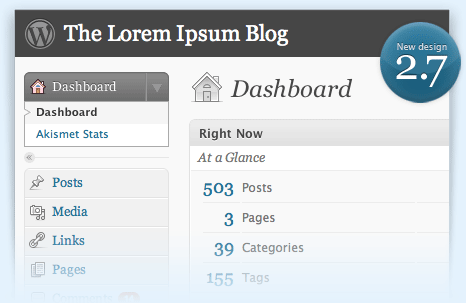
Wordpress 2.6 is announced. Now we can update our blogs as soon as possible with the new 2.6 features.
Full list of 2.6 features
Share This
July 14, 08
by
Crossover
You are in a Wordpress site and want to know what plug-ins is using that site or what themes? This is very simply do to, just browse websitename.ltd/wp-content/plugins and you will see a similar screen-shot as a made above the post. The same for themes /wp-content/plugins and wala! All the files and all the themes name.
Read the rest of this entry »
Share This
July 13, 08
by
Crossover

Now iPhone is available in more countries and many users will use iPhone to search on the net, play and read our blog. But is you WP Blog ready for this? Maybe not or yes, but you can make it full compatible for iPhone.
Read the rest of this entry »
Share This
May 02, 08
by
Crossover

A tip from hackwordpress.com to stop google indexing our images in wordpress. There are two simply ways to do this. The first adding this code to head tag:
<meta name="robots" content="noimageindex">
and the second method is adding code to our robot.txt in root wordpress directory.
User-agent: *
Disallow: /images/
or
User-agent: *
Disallow: /upload/
Via hackwordpress.com
Share This
March 16, 08
by
Crossover
WordPress 2.5 Back on Track: The WordPress Trac has been updated for March 17 release of WordPress 2.5 and reports that it is 62% completed with 610 closed tickets and 374 active tickets, though some may be pushed to the next release.
So what you need for a better update:
- Check Plugin and Theme Compatibilities
- Update Themes and Plugins
- Do a PreFlight Test
- Disable and/or Remove Old Plugins
- Backup your Database
- Relax and Read (The finer print is what matters)
Whether Wordpress 2.5 will be released soon or not is still unknown. According to the chatter on the mailing list it looks like it still isn’t ready yet. Matt apparently mentioned a beta2 but the latest SVN tag mentions beta1 so I’m not sure if we will see Wordpress 2.5 today.
[via dailyapps]
Share This
December 16, 07
by
Crossover
Blogger finally supports OpenID, which means WordPress, LiveJournal or Vox users can directly leave comments on Blogger posts. For those who don’t know what OpenID is, it’s a simple URL, which can be used to sign into any site which supports OpenID. Since you’re the only one who has control over your URL, you’re the only one who can use that URL as your identity.
How to use your own site as your OpenID URL:
Like most people, I’m not comfortable with handing over the ownership of my personal identity to some third party OpenID handler. I want the flexibility to choose between OpenID providers without having to change my OpenID URL. How? Well, it’s pretty simple. All you got to do is pick any free OpenID provider and create an account (if you already have an account on WordPress, LiveJournal or Vox, you can skip this step). Now add the following lines just above </head> on your weblog or whichever URL you’d like to use as an OpenID URL:
<link rel="openid.server" href="http://www.myopenid.com/server">
<link rel="openid.delegate" href="http://username.myopenid.com/">
Replace openid.server href with your OpenID provider’s server URL. Similarly, replace openid.delegate href with your OpenID URL. For instance, if you want to use your WordPress blog as your OpenID provider, then it should be:
Read the rest of this entry »
Share This