Hack

Two nice Wordpress themes

May 05, 08 by Crossover
advertisment

Thanks for visiting! If you're new here, you may want to subscribe to my Rss Feed. This blog posts regular Internet news, updates for apps, security, ideas, hacks, quick fixes and everything about hi-tech. Go ahead, subscribe to our feed!

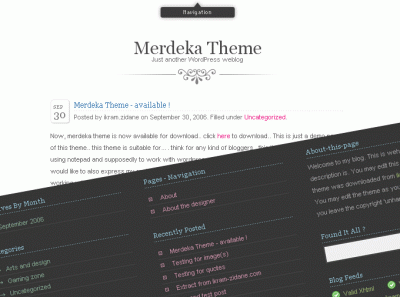
merdeka_01

Merdeka Theme

Its a simple elegant 1 column for content and 3 columns as the sidebar.

Download merdeka.zip


gtnconcept-ThatVistaBlog 

A nice Wordpress skin for vista lovers, there are 4 different colors you can choose and two types:

Read the rest of this entry »

Open Sourse Templates

October 26, 07 by ReniX
advertisment

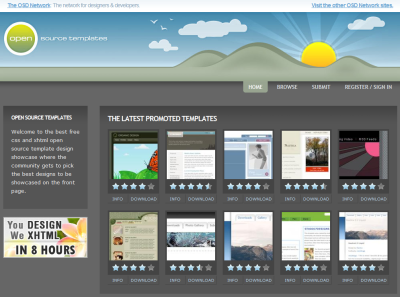
opensourcetemplates.png

Some web-sites offer high quality templates for free. You can download Flash and CSS based layouts and use them for your personal and commercial projects.

Open Sourse Templates:

  • Open Source Templates
  • Master Templates
  • Open Source Web Design
  • Open Web Design
  • Interspire Free Templates
  • Template Monster
  • Template Navigator
  • Layouts 4 Free
  • Free CSS Templates
  • Dotcom Web Design
  • Free Flash Template
  • Steve?s Free Templates
  • Ricky?s Web Templates
  • Read the rest of this entry »

    CSS Tutorial - Stacking Text with CSS

    June 28, 07 by ReniX
    advertisment

    CSS Tutorial - Stacking Text with CSS

    In this tutorial, we will be learning how to stack text with the help of the powerful CSS tag, Z-Index.

    Step 1 - The XHTML Coding

    Create a new XHTML document in your favorite editing program. Once that is finished, copy the code below onto the blank document.

    Stacking Text
    Stacking Text

    As you can see, the coding is very simple, but don’t let that take you away. This technique is an excellent way to add a CSS touch to your site banner or navigation. Just don’t overdo it and make everything have it :) Anyway, breaking the XHTML down, all we have are 2 div tags with separate identities. One has the id of “text-top” while the other has the id of “text-bottom”. You can probably guess which text will be on top and which text will be on the bottom.

    Step 2 - Applying CSS

    Now, we’re going to add the CSS code above the XHTML code. Copy and paste the code directly above the current XHTML code.

    Alright, once you’ve finished pasting the code, your document should be complete. Save it, and then view it to find that the text is now colored, and stacked. Let’s break down the CSS that helped achieve this.

    And that pretty much sums up how this works. Again, this is perfect for any CSS-based banner or navigation you are planning to make. The final result is located in the link below.

    Close
    E-mail It