Hack

Sketches and paint photos in a second

July 25, 08 by ReniX
advertisment

photo-Sketches-software-images

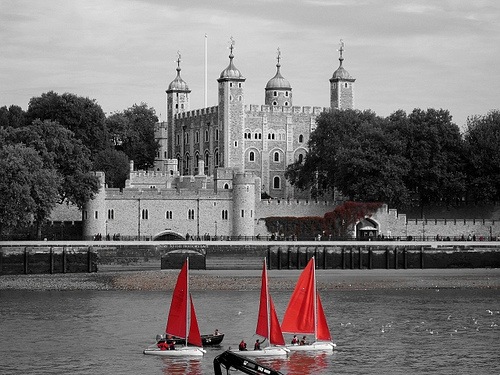
This free program can help you create images that look like they have been hand drawn by an artist. If you want to turn a portrait, the photograph of your house or even the picture of your pet into a black & white or colour drawing or painting, then look no further, FotoSketcher will do the job in just a few seconds.

Read the rest of this entry »

Thanks for visiting! If you're new here, you may want to subscribe to my Rss Feed. This blog posts regular Internet news, updates for apps, security, ideas, hacks, quick fixes and everything about hi-tech. Go ahead, subscribe to our feed!

Do you like Photoshop?

June 05, 08 by Crossover
advertisment

photoshop-online

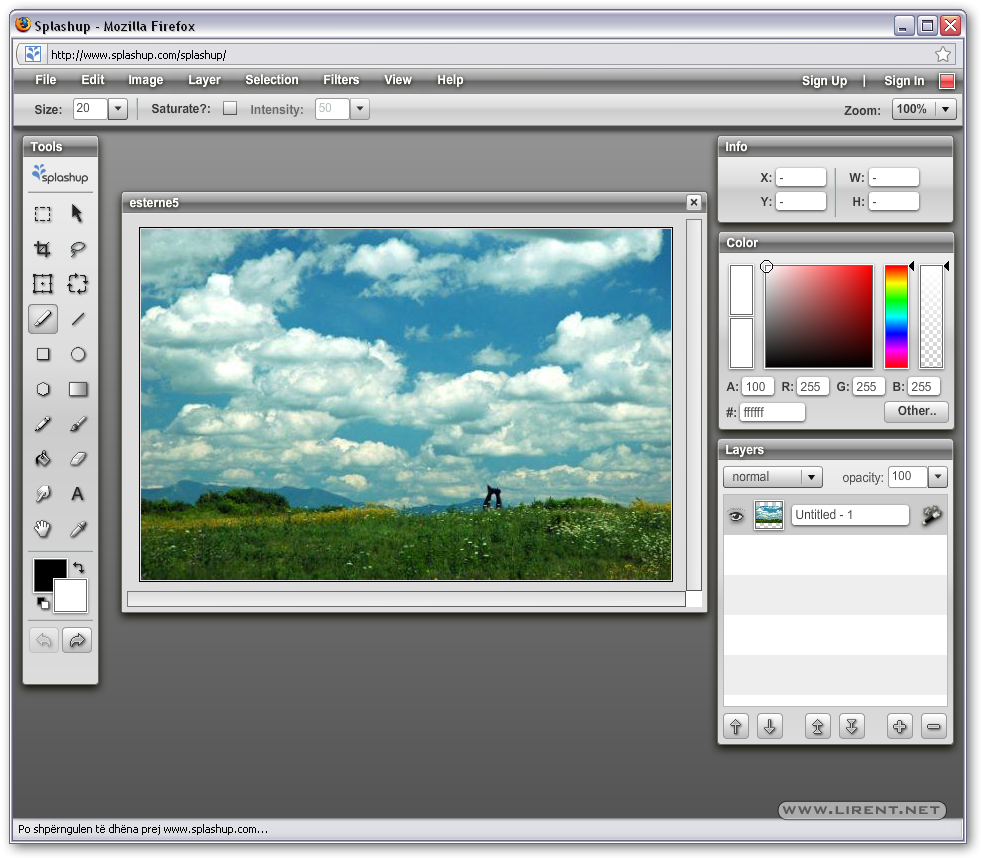
Do you like Photoshop? No enough money to buy it for all your computers! Try Splashup, on line image editor, formerly Fauxto, is a powerful editing tool and photo manager. With all the features professionals use and novices want, it’s easy to use, works in real-time and allows you to edit many images at once. Splashup runs in all browsers, integrates seamlessly with top photosharing sites, and even has its own file format so you can save your work in progress.

Read the rest of this entry »

Free Vector Girls

May 31, 08 by Crossover
advertisment

lifestyle-Vector-Girls-free

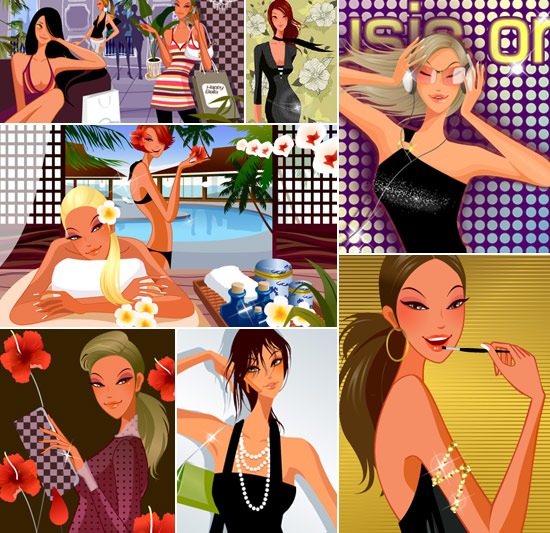
Via dezignus.com Great vector illustrations of girls was shared by Ateneupopular.

Read the rest of this entry »

Valentine’s Day cards

February 13, 08 by Crossover

Original post by Peter Butler

romantic-sentiments

Creating your own Valentine’s Day cards with commercial design software like Adobe Photoshop or CorelDRAW will provide you with a wide array of options for tweaking your images, text, and other graphical elements. Those programs also offer instructional assistance and templates to help you through the process. But if you’re willing to use a little elbow grease and your imagination, you can create a fantastic Valentine’s Day card using free design software.

For this tutorial, I’m going to use Paint.NET, a top-rated download that offers many of the important features that you’ll find in commercial image editors. GIMP is another great free program that actually offers a bit more power in terms of third-party plug-ins and online tutorials, but I find that Paint.NET is an easier program for new users to learn.

Also, I’m going to create a basic Valentine’s Day card that includes an image with overlaid text and the date on the front, and some graphic elements and romantic sentiments on the inside. If you’re the artistic sort and can create your own graphics, more power to you. One good free app for doing so is the vector-illustration software Inkscape. I’m artistically incompetent, so I tend to focus on using cool pictures and injecting some wit into my text.

Read More..

Download Free Abstract Photoshop Brushes

December 19, 07 by Crossover

brushe

At the web site of R0man.de you will find some awesome brushes for Photoshop. For installing open Photoshop -> Click on the  brush panel and right click somewhere. After click on the small arrow and select Load Brushes. And that’s is all.

Brushes | Download

Glossy Icons - Free PSD file

December 16, 07 by Crossover

glossyicons1

Here you will find a 4 pack of really cool glossy style icons. Aaron made these in photoshop. You use these on your personal blog or website. If you need a personal edit, feel free to contact.

Download | Glossy Icons

5 Important Rules in Website Design

October 04, 07 by ReniX

When it comes to your website, extra attention should be paid to every minute detail to make sure it performs optimally to serve its purpose. Here are seven important rules of thumb to observe to make sure your website performs well.

1) Do not use splash pages

Splash pages are the first pages you see when you arrive at a website. They normally have a very beautiful image with words like “welcome” or “click here to enter”. In fact, they are just that — pretty vases with no real purpose. Do not let your visitors have a reason to click on the “back” button! Give them the value of your site up front without the splash page.

2) Do not use excessive banner advertisements

Read the rest of this entry »

Photoshop Tool Basics Part 1

September 15, 07 by ReniX

This is a quick summary of Photoshop’s Tools palette with a description of each tool’s functions and shortcuts. Great for those brand new to Photoshop.

cs3

I decided to start at the beginning. The very beginning. For those people who just “picked up” a copy of Photoshop and have no idea what to do with it. The keyboard shortcut is in ( ).

tool_basics1.jpg
Rectangular Marquee Tool (M)
Use this tool to make selections on your image, in a rectangular shape. This changes the area of your image that is affected by other tools or actions to be within the defined shape. Holding the Shift key while dragging your selection, restricts the shape to a perfect square. Holding the Alt key while dragging sets the center of the rectangle to where your cursor started.

tool_basics2.jpg
Move Tool (V)
Use this tool to, well, move things. Usually you use it to move a Layer around after it has been placed. Hold the Shift key to limit the movements to vertical/horizontal.

tool_basics3.jpg
Polygon Lasso Tool (L)
Ok, this should be the Lasso Tool, but I use the Polygon Lasso a lot more often. Use this to draw selections in whatever shape you would like. To close the selection, either click on the beginning point (you’ll see the cursor change when you’re on it), or just double-click. When holding the Ctrl key, you’ll see the cursor change, and the next time you click, it will close your selection.

Customize the Color of Your Photoshop CS3 Artboard

September 11, 07 by Crossover

artboard_color_2.jpg

If you are one of those lucky enough to be running Photoshop CS3, I want to show you a neat trick. In CS3 you can very easily change the color of the excess artboard! I just happened to figure this out a night or two ago, so I wanted to post about it right away.
Read the rest of this entry »

Close
E-mail It