July 12, 08
by
Crossover
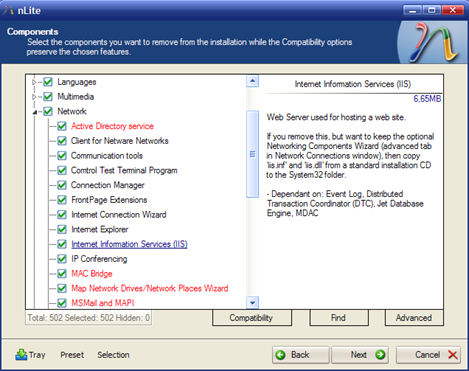
Windows come with pre-installed components like Media Player, Internet Explorer, Outlook Express, MSN Explorer, Messenger etc. But what about to remove this applications and add our favorite or more add all the three Service Pack.
Read the rest of this entry »
Share This
Thanks for visiting! If you're new here, you may want to subscribe to my Rss Feed. This blog posts regular Internet news, updates for apps, security, ideas, hacks, quick fixes and everything about hi-tech. Go ahead, subscribe to our feed!
December 20, 07
by
Crossover
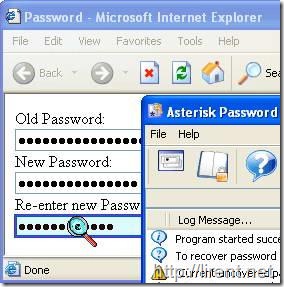
What was the password again for that website ? I bet you have asked that question numerous times, I know that I did. I’m not that good at remembering passwords and it happens that one slips under the radar and I have troubles remembering it. This is not such a huge problem in Firefox with its Password Manager that reveals all passwords that you have saved before but it could be on in Internet Explorer.
Read the rest of this entry »
Share This
December 11, 07
by
Crossover
Its almost impossible to remember usernames and passwords for all those websites that users visit daily so what mainly users do is that they use the password manager feature of browsers like Internet Explorer and Firefox to save their passwords. The password manager then automatically fills the password form of a website whenever you wish to login however this stored password is in asterisk (*****) and is hidden.
There is a trick for both Internet Explorer and Firefox that can help you reveal the passwords behind those asterisk or you can even simply see a list of all passwords saved by IE or Firefox in their program memory.
Read the rest of this entry »
Share This
December 06, 07
by
Crossover
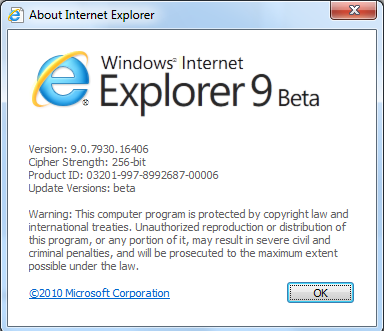
Just as he was the first to talk about IE7, Bill Gates kept the tradition alive and discussed IE8 at the Mix ‘n Mash event here on campus yesterday. Bill was talking to some bloggers about IE.Next and called it IE8, the same way we do here in the IE team hallway.
So, yes, the version after IE7 is IE8. We looked at a lot of options for the product name. Among the names we considered and ruled out:
IE 7+1
IE VIII
IE 1000 (think binary)
IE Eight!
iIE
IE for Web 2.0 (Service Pack 2)
IE Desktop Online Web Browser Live Professional Ultimate Edition for the Internet (the marketing team really pushed for this one
Ie2.079 (we might still use this for the Math Major Edition)
Read the rest of this entry »
Share This
September 14, 07
by
ReniX
Most people will tell you not to worry about securing Internet Explorer and to just switch to Firefox. Unfortunately it’s not always that easy. In my case, I have users that must use Internet Explorer to access web sites that will not work in Firefox. Since they must use Internet Explorer for these sites, they also use it for the other sites they browse as well. Since some people cannot afford to give up IE, here are some easy steps you can take to make it more secure.
Step 1: This should be a given but this is a must before you do anything else. Make sure you have all of the latest Windows updates including Windows XP Service Pack 2. If you don’t have these, you will not have the latest security fixes from Microsoft and some of the settings that we need to change might not work correctly.
Step 2: One way to make IE more secure is to block known malicious web sites. To do this, we need to update the “Restricted Sites” in Internet Explorer so it will know which sites to block. Since there are thousands of known malicious sites, it would take too much time of time to enter all of them in manually. ZonedOut makes a great standalone freeware app that allows you to import site lists into Internet Explorer. Once you have downloaded ZonedOut you can download IE-SPYAD for ZonedOut, which consists of importable lists of known malicious web sites. To import these sites, open ZonedOut and click the menu button. From the menu, select Import/Export Sites and Import from File. Choose the ie-ads.txt file that you downloaded from IE-SPYAD and click open. You can also block known malicious adult sites by importing the adult.txt file from within the Adult folder.

Read the rest of this entry »
Share This