
How to install DDR Ram to your computer
January 09, 08 by Crossover
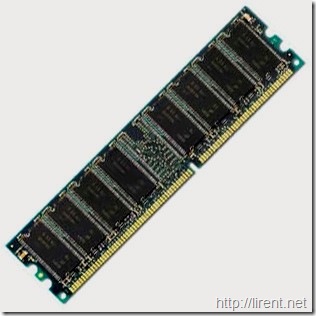
184 pin DDR
These instructions provide general installation and handling information for 184-pin DDR upgrade memory. These instructions are intended to be used in conjunction with your model-specific owner manual.
Note: The memory module contain electronic components that are sensitive to electrostatic discharge (ESD). Improper handling could damage your computer. Leave the module in its protective anti-static bag until ready to install, and handle it only as instructed by your Computer Manufacturer. If you have reservations about installing the module, ask for assistance from a qualified technician.
INSTALLATION PROCEDURE
1. Place the computer power switch in the "off " position and disconnect the AC power cord.
2. Remove the computer top cover following the instructions in the model-specific owner manual.
3. Before touching any electronic components, make sure you first touch an unpainted, grounded metal object to discharge any static electricity stored on your clothing or body.
Thanks for visiting! If you're new here, you may want to subscribe to my Rss Feed. This blog posts regular Internet news, updates for apps, security, ideas, hacks, quick fixes and everything about hi-tech. Go ahead, subscribe to our feed!
Glad to see you here and Thank You for your visit. My name is Lirent, born in February 1983 in a small city in Europe. This is my blog about Hacks, Tips and Free Resourse for the WordWideWeb.





