Hack

The Best Free Computer System Recovery Tools

September 22, 07 by ReniX

If you had lost some very important data, or if you see that your computer is simply dying, the following recovery tools will be indispensable for you. You’d better burn yourself several of these useful tools before the disastrous thing happens.

SuperDuper is a program that makes recovery painless, because it makes creating a fully bootable backup painless. Its incredibly clear, friendly interface is understandable, easy to use, and SuperDuper’s built-in scheduler makes it trivial to back up automatically. And it runs beautifully on both Intel and Power PC Macs. It is an indispensable tool, specially if your hard drive starts making that horrible clicking noise, your most important day-to-day application isn’t working with the system update you just applied, or you need to restore a stable copy of your system, but don’t want to lose what you’ve been working on, or other similar cases.

Read the rest of this entry »

Thanks for visiting! If you're new here, you may want to subscribe to my Rss Feed. This blog posts regular Internet news, updates for apps, security, ideas, hacks, quick fixes and everything about hi-tech. Go ahead, subscribe to our feed!

How To Recover Data From A Crashed Hard Drive

September 14, 07 by ReniX

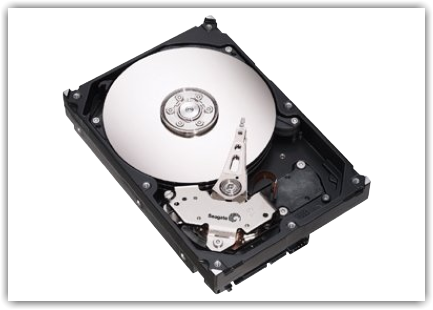
If you are a tech, then you probably know that hard drive failures are inevitable. Chances are that sooner or later it will happen to someone you support or possibly even you. Even with a successful backup, you still may not have files that were created or modified after the last backup. Even worse is when you don’t have a backup at all. There is still hope however. I would like to show you how you can use a simple freeware utility to recover files even when your hard drive will not boot.

hd

Read the rest of this entry »

How To Automatically Back Up Your Hard Drive

September 13, 07 by ReniX

If you support users like I do, then you will know how frustrated they can get when their hard drive fails and they have no backup. Even worse is when this happens to you. That is why I would like to share with you an easy way to automatically back up your hard drive using a very powerful free backup utility. Just follow these simple steps.

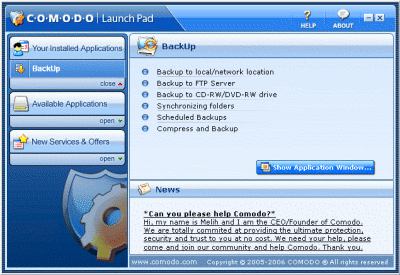
Step 1: Go to http://backup.comodo.com/ and download Comodo Backup. Fill out the form and your activation code will be emailed to you.

Step 2: Run the installation wizard and follow the steps. Once you are finished you will be prompted to restart.

Step 3: After you restart your computer, open the Comodo Launch Pad. Click the “Show Application Window

Close
E-mail It