Hack

Best of Open Source Software - Linux Ubuntu

October 18, 07 by ReniX
advertisment

Thanks for visiting! If you're new here, you may want to subscribe to my Rss Feed. This blog posts regular Internet news, updates for apps, security, ideas, hacks, quick fixes and everything about hi-tech. Go ahead, subscribe to our feed!


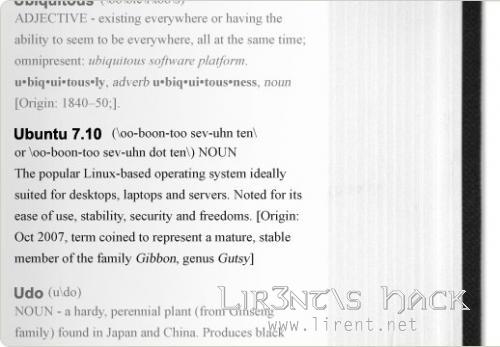
LONDON, October 15, 2007 - Canonical Ltd. announced today the upcoming availability of version 7.10 of the Ubuntu Server, Desktop, Kubuntu and Edubuntu Editions. All will be available for free download on Thursday 18 October. Canonical is the commercial sponsor of Ubuntu.

Ubuntu makes no distinction between community and enterprise editions, Ubuntu 7.10 is our best work and is available freely to all. Ubuntu has consistently ranked #1 in reviews of security update responsiveness and effectiveness. The Ubuntu platform is fully certified and supported, making it a secure choice for users looking to explore, deploy and enjoy Linux. Ubuntu 7.10 brings together the best open source and free software available in a stable, robust environment that ‘just works’.

Read the rest of this entry »

Linux Ubuntu: Gutsy Upgrades

September 28, 07 by ReniX
advertisment

Gutsy Gibbon

Ubuntu 7.10 is the current DEVELOPMENT version of the Ubuntu operating system. It will be released October, 2007. The common name given to this release from the time of its early development was “Gutsy Gibbon”.

Before you start

  • You can only directly upgrade to Ubuntu 7.10 (”Gutsy Gibbon”) from Ubuntu 7.04 (”Feisty Fawn”)
  • Be sure that you have all updates applied to Ubuntu 7.04 before you upgrade

Note: If you have a version of Ubuntu which was released before Ubuntu 7.04, please see Installation/UpgradeFromOldVersion for information on how to upgrade.

ubuntu-crystal.png

Ubuntu Beta upgrade

Note: these instructions apply to the Beta release and will be removed when 7.10 is released

If you wish to participate in testing the Ubuntu 7.10 beta, you can easily upgrade over the network with the following procedure. People upgrading after the final release will not need to use the command line.

  1. Press Alt+F2 to run a command, or open a terminal window
  2. Run the following command:
    update-manager -d
  3. Follow the on-screen instructions

If you have a working network connection, it should then inform you of the new release and offer to upgrade your system. Read the rest of this entry »

Close
E-mail It