July 10, 08
by
Crossover
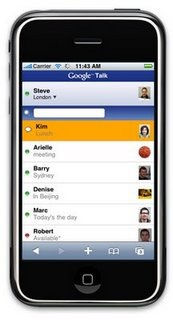
Google Talk now available also for iPhone. You can chat with contacts in real time, view and search Google Talk contacts also change the status message.
Web http://www.google.com/mobile/apple/talk/
Share This
Thanks for visiting! If you're new here, you may want to subscribe to my Rss Feed. This blog posts regular Internet news, updates for apps, security, ideas, hacks, quick fixes and everything about hi-tech. Go ahead, subscribe to our feed!
December 13, 07
by
Crossover
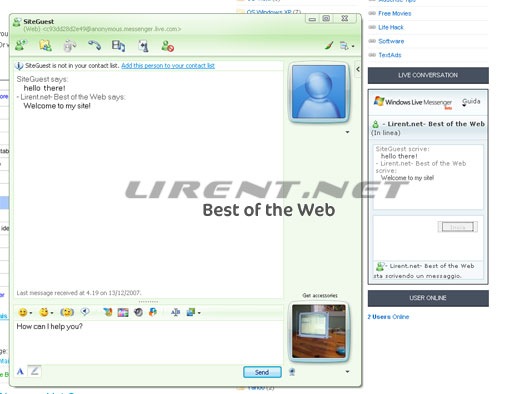
The Windows Live Messenger IM Control lets people on the Web reach you in Messenger by showing your Messenger status on your web site, blog, or social networking profile. The Windows Live Messenger IM Control runs in the browser and lets site visitors message you without installing Messenger first. The IM Control is supported in IE6, IE7, and Firefox 2.0 on Windows and Firefox 2.0 on Mac OS. The IM Control is supported in 32 languages.
This is a nice addition to the IM button functionality announced in Ali’s post. An important difference between the two is that the new Windows LiveMessenger IM Control allows people to send you IMs without installing Windows Live Messenger, and the IM button requires that they have it installed and are logged in.
To use the IM Control:
Read the rest of this entry »
Share This
December 07, 07
by
Crossover
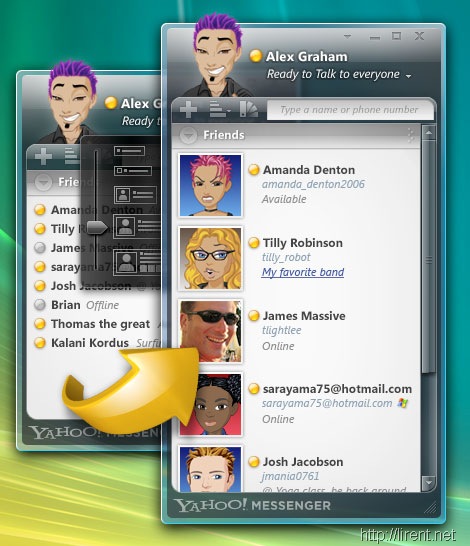
Early this year in January, Yahoo announced that they had designed a new messenger from the ground up just for use with Windows Vista. They wanted to take advantage of all the new features specific to Vista like the display and user interface, as well as Vista’s Windows Presentation Foundation. The previews looked awesome and the list of features was sure impressive, but it’s been almost a year now and we hadn’t heard anything about it’s progress or whether or not they were even working on it… until today! That’s right, it’s not vaporware like some of you thought. It’s finally here and for those of you just itching to try it, a preview release is available for download.
So what makes this version of Yahoo Messenger specific to Windows Vista? There are two main things:
- New interface that takes advantage of WPF
- Makes use of Windows Vista Sidebar
There’s a whole list of features that are pretty impressive:
- Huge selection of new and improved animated emoticons
- Color code chat windows (pick a different color for each contact you’re talking to so it’s easier to keep track of)
- Combine chat windows into one and then they will be tabbed with all conversations in one window
- Drag contacts from the contact list onto the sidebar gadget so that keeping track of their status is easier, and then starting a conversation takes one click
- Drag and drop files up to 2GB in size into the message Window
- Spell check as you type (knows LOL isn’t something that needs to be corrected)
- Works with Windows Live Messenger contacts
- Resize contact list (multiple columns if you’d like) and resize the size of your buddies avatars
The Yahoo Messenger for Vista team put together a video that shows all of the new features in action. There’s a high quality version available which you can view, or you can just view the video below in a lower quality.
[yahoo 1577005]
Yahoo! Messenger check it out
{via cybernetnews}
Share This