How to change default system sounds
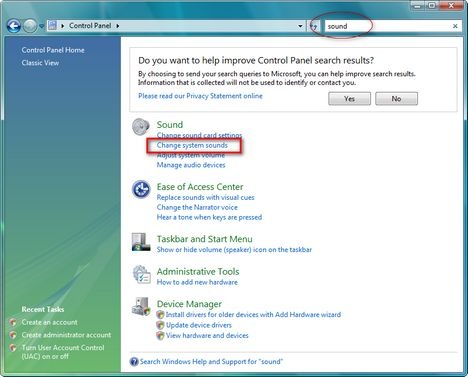
After the free pack with Vista Sounds, here are some rapid steps how to change the system sounds in Windows Vista and Windows XP. Windows Vista: First you need to go first to the Control Panel and type the word…

After the free pack with Vista Sounds, here are some rapid steps how to change the system sounds in Windows Vista and Windows XP. Windows Vista: First you need to go first to the Control Panel and type the word…



