
From Yahoo! Live Blog
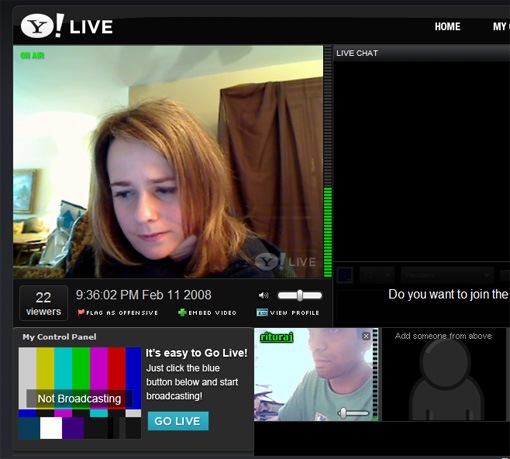
We’re excited to share with you Yahoo! Live, a new experiment in live video from the Advanced Products team at Yahoo!. Y! Live was dreamed up as a way to make it possible for anyone to create their own live video experience. Broadcast the concert you’re at. Webcast your own live DJ set. Lifecast. Build your own live video speed dating application. We’ve created a website and an API that lets you do all these things and many more.
For viewers: How is Y! Live different from other online video sites? That’s simple: it’s live. What you’re watching, right now, is what other people are watching, right now. We wanted to create an experience that takes us back to live television, where things are happening now, in real time.
For broadcasters: You’ve been posting your stuff to MySpace and YouTube. Now, connect with your fans in real time on Y! Live. There is something intangible about a live performance – an excitement that you can’t replicate in pre-recorded format. Broadcast a performance, interact with your fans with video and chat, embed your broadcast anywhere – it’s all possible on Y! Live.
For developers: Check out our developer preview of our API and embeddable components, and well as a sample app and tutorial we threw together. We’re looking for your feedback at this point, and will be incorporating it as we get to version 1.0 of our API in the coming months. Play around with it and let us know what you think. We’re always interested in seeing what you’ve built, and we’ll feature cool stuff you build on our site.
Keep in mind that Y! Live is an experimental release. The Advanced Products team is a small incubation team at Yahoo! – our mission is to build stuff and launch it quickly, and respond to market feedback. Y! Live is a limited capacity release, so bear with us as and we may reach our limits in periods of high traffic. Our top priority now is to hear your feedback – send your comments to [email protected], and follow our twitter feed to hear about headline broadcasts and notable things happening live.
Enjoy the Y!Live