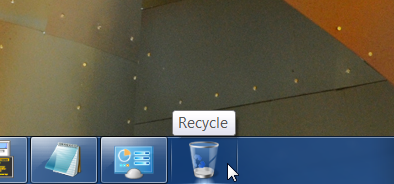
This is a Windows 7 Taskbar hack that allows you to add a Recycle Bin Shortcut. So in this way you can keep clean your desktop from icons.
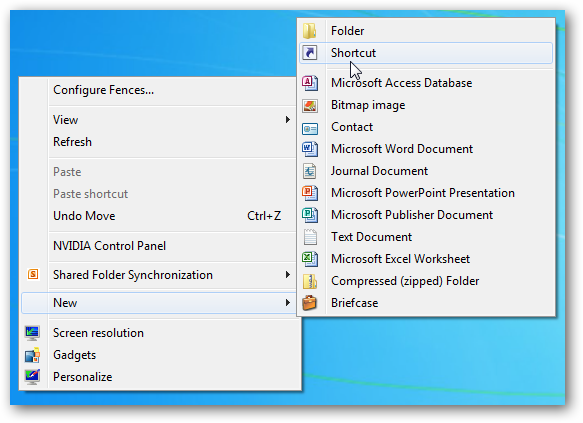
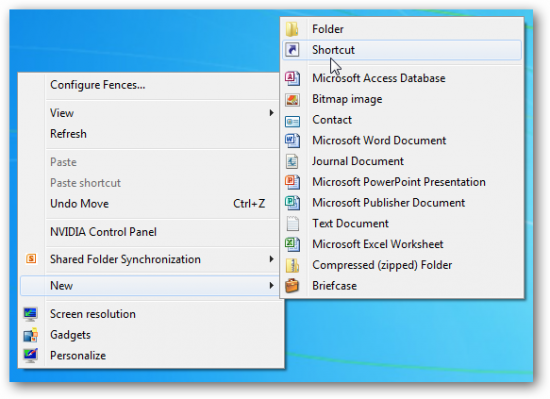
1. Right-click on your Desktop, mouseover New and select Shortcut.
2. The Create Shortcut window will appear, input the following into the Type the location of the item textbox:
%SystemRoot%\explorer.exe shell:RecycleBinFolder
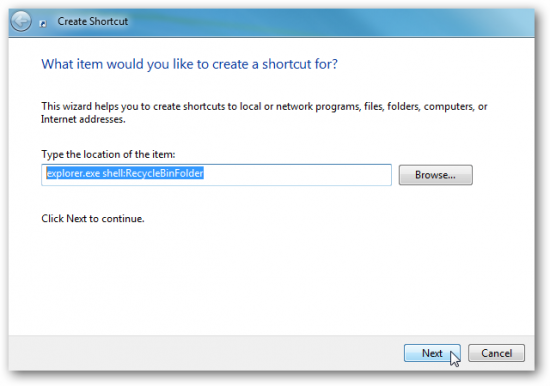
2.1 Click the Next button.
3. Input a name for the shortcut, for example Recycle Bin or Trash.
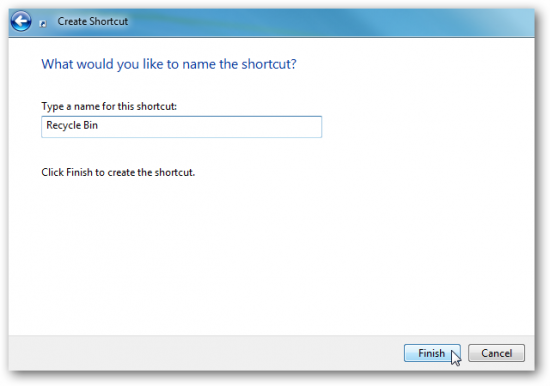
3.1 Click the Finish button.
4. A shortcut will appear on your Desktop and now we have to change the icon. Right-click on the shortcut, select Properties and browser this source:
%SystemRoot%\system32\imageres.dll
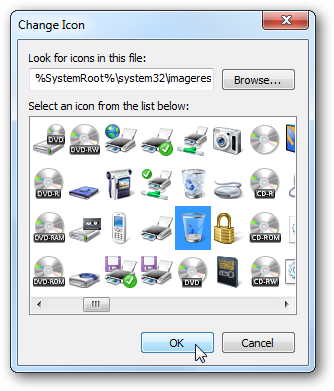
4.1 Scroll and find the Recycle Bin icon and click OK to confirm.
Now on the last step we have to move it on the Taskbar.
5. Right-click the shortcut and select Pin to Taskbar. That’s all! Now you have the Recycle Bin icon and shortcut on your Windows 7 Taskbar.