March 28, 08
by
Crossover
advertisment
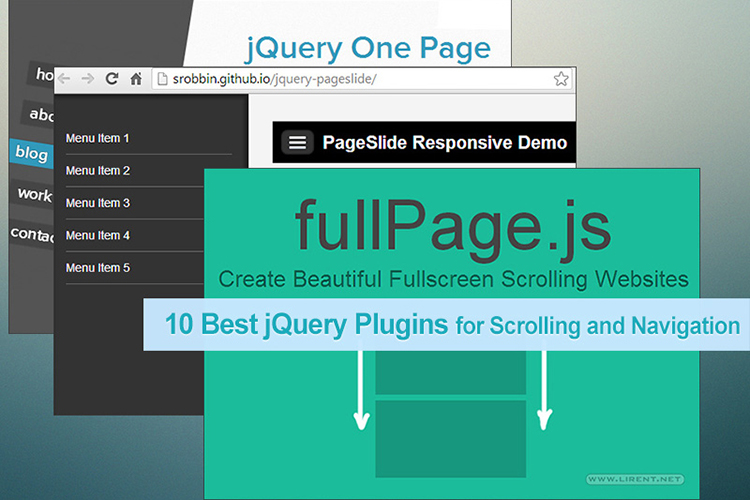
Yesterday we have post a Carousel Image Viewer, but we leave for the last moment another one, the most popular Carousel for images, jCarousel. There are all kinds of unique options for this one: vertical, auto-scroll, dynamic content, auto-repeating, additional animations… Again, all the examples here are image thumbnails, but they are wrapped in list elements so you could replace that with any sort of content. Don’t let the small size fool you either, everything is completely CSS controllable.
jCarousel Demo or Download
Share This
Thanks for visiting! If you're new here, you may want to subscribe to my Rss Feed. This blog posts regular Internet news, updates for apps, security, ideas, hacks, quick fixes and everything about hi-tech. Go ahead, subscribe to our feed!
-
Posted in
CSS - 489 views
March 27, 08
by
Crossover
advertisment
Dynamic Drive offers a page slider script they call the Step Carousel Viewer, which uses jQuery as well. The examples they use on the page are images only, but the panels themselves are just DIV’s, so you could conceivably put anything you want in there. There are some unique navigational options which makes this one cool such as “forward 2 panels” and “back to 1st panel” as well as an option to display which panel (or range of panels) you are currently viewing.
{via css-tricks}
Share This
March 16, 08
by
Crossover
advertisment
Creating professional looking CSS menus for your Website as easy as never before!
Create your menu online, without writing a single line of code! Visit the Menu Catalog with a lot of cool styles, all this in CSS and all for free.
Read the rest of this entry »
Share This
-
Posted in
CSS - 320 views
January 16, 08
by
Crossover
Cascading Style Sheets (CSS)
CSS is used to help readers of web pages to define colors, fonts, layout, and other aspects of document presentation. It is designed primarily to enable the separation of document content (written in HTML or a similar markup language) from document presentation (written in CSS). This separation can improve content accessibility, provide more flexibility and control in the specification of presentation characteristics, and reduce complexity and repetition in the structural content. CSS can also allow the same markup page to be presented in different styles for different rendering methods, such as on-screen, in print, by voice (when read out by a speech-based browser or screen reader) and on Braille-based, tactile devices. CSS specifies a priority scheme to determine which style rules apply if more than one rule matches against a particular element. In this so-called cascade, priorities or weights are calculated and assigned to rules, so that the results are predictable.
On the link over you have 101 techniques that all webmasters should now.
Share This
-
Posted in
CSS - 229 views
December 20, 07
by
Crossover
-
Posted in
CSS - 826 views
December 12, 07
by
Crossover
You are in trouble with CSS? I found your solution. The web site csstextwrap.com offer you to wrap the text . What you need this? The answer is short ADS (advertising) or IMG (image). The CSS Text Wrapper allows you to easily make HTML text wrap in shapes other than just a rectangle. You can make text wrap around curves, zig-zags, or whatever you want. All you have to do is draw the left and right edges below and then copy the generated code to your web site.
Read the rest of this entry »
Share This
-
Posted in
CSS - 788 views
September 10, 07
by
ReniX
In-line
In-line styles are plonked straight into the HTML tags using the style attribute.
They look something like this:
Save the HTML file. This now links to the CSS file, which is empty at the moment, so won’t change a thing. As you work your way through the CSS Beginner Tutorial, you will be able to add to and change the CSS file and see the results by simply refreshing the browser window that has the HTML file in it, as we did before.
Share This
-
Posted in
CSS - 165 views
June 28, 07
by
ReniX
CSS Tutorial - Stacking Text with CSS
In this tutorial, we will be learning how to stack text with the help of the powerful CSS tag, Z-Index.
Step 1 - The XHTML Coding
Create a new XHTML document in your favorite editing program. Once that is finished, copy the code below onto the blank document.
Stacking Text
Stacking Text
As you can see, the coding is very simple, but don’t let that take you away. This technique is an excellent way to add a CSS touch to your site banner or navigation. Just don’t overdo it and make everything have it
Anyway, breaking the XHTML down, all we have are 2 div tags with separate identities. One has the id of “text-top” while the other has the id of “text-bottom”. You can probably guess which text will be on top and which text will be on the bottom.
Step 2 - Applying CSS
Now, we’re going to add the CSS code above the XHTML code. Copy and paste the code directly above the current XHTML code.
Alright, once you’ve finished pasting the code, your document should be complete. Save it, and then view it to find that the text is now colored, and stacked. Let’s break down the CSS that helped achieve this.
And that pretty much sums up how this works. Again, this is perfect for any CSS-based banner or navigation you are planning to make. The final result is located in the link below.
Share This
-
Posted in
CSS - 458 views