Hack

Archive for October, 2007

No more avaiable unique IP adress!

October 31, 07 by Crossover
Sponsors

Thanks for visiting! If you're new here, you may want to subscribe to my Rss Feed. This blog posts regular Internet news, updates for apps, security, ideas, hacks, quick fixes and everything about hi-tech. Go ahead, subscribe to our feed!

ipunique

Internet Service Providers urgently need to roll out the next generation of net addresses for online devices, internet pioneer Vint Cerf has said.

Every device that goes online is allocated a unique IP address but the pool of numbers is finite and due to run out around 2010.

A new system, called IPv6, has been awaiting roll out for 10 years.

Unless IPv6 is switched on in the coming years, some devices might not be able to go online, Mr Cerf has warned.

Mr Cerf, who played a key role in the development of the protocols which underpin the global net, said: “There is a risk of not being able to get online.”

He added: “The rate of consumption of available remaining IPv4 numbers appears to be on track to run out in 2010/11.”

Mr Cerf is about to step down as chairman of Icann, the body which oversees the net, and is also Google’s chief internet evangelist. Read the rest of this entry »

Copy Music from iPod to PC in 5 Easy Steps

October 31, 07 by Crossover
Sponsors

ipod_appleby: Mark O’Neill

I’m a big fan of the iPod but what I don’t like is Apple not being very forthcoming about how to move music from the iPod back to the PC. They’re quick enough to tell you how to move the music from your PC to your iPod but when you want to do the opposite, Apple clams up tight.

Their reasoning is probably that the only reason you’d want to take your music off the iPod is to copy it and illegally distribute it. But that is really an insult to the music buyer. There are plenty of legitimate reasons why you would want to move your music from the iPod back to the PC. For a start, what if your hard-drive crashed and the only copies of the music were on your iPod? Or you accidentally deleted a song from your hard-drive and you wanted it back, without having to buy another copy?

It has taken me ages to work out how to get the music off the iPod and onto the computer but I have finally got it. This is how to do it on a Windows PC. Since I don’t have a Mac, I can’t help there.

The easy five-step guide to moving your music from your iPod to your PC

1. In Windows Explorer, go to Tools > Folder Options > View. In the Advanced Settings list, under Hidden files and folders, check the radio button for “Show hidden files and folders”. Then click OK. You’ll get a Windows security warning but it’s safe enough to disregard it as we will only be disabling this function for a short while.

2. Plug in your iPod. In Windows Explorer, a folder will now appear with the name of your iPod. Double-click on that. Go to the sub-folders “iPod_Control” and then “music”. You’ll find your music there randomly scattered across multiple folders and with scrambled file names. But don’t worry, the ID3 tags are still fully intact and we are now going to “unscramble” the files.

3. But first copy all the music from those iPod folders into a new folder on your hard-drive. Move all the songs into one single folder and discard all the folders that your iPod made. By the end, you should have one folder in your hard-drive with all the scrambled files together.

4. Open up iTunes and do the following : Go to Edit > Preferences. Under the Advanced tab, under the General “sub-tab”, select the local folder where you have copied the music from your iPod (by clicking Change…).

Check the box “Keep iTunes Music folder organized” and click OK. Also make sure you have wiped all previous music from iTunes so your playlists are blank. Read the rest of this entry »

Video Tutorial - How to resize a image

October 31, 07 by Crossover
Sponsors


You need to have Photoshop CS or Paint

3 steps to have Mac Leopard on your PC!

October 30, 07 by ReniX

apple

Well its been only a day since the Mac OSX Leopard was released officially by Apple and the hackers have managed to create a patched DVD that everyone like you and me can use to install Leopard on PC’s without having to buy a Mac. Please note the tutorial that I am going to post is still experimental and things might not work the right way simply because it is still early days in hacking Leopard to work on PC’s. Well if you don’t mind your PC getting screwed then go ahead and try out this tutorial.

Make sure you backup all important data before you proceed. Here are the things that you will need before Install Leopard on your PC….

Read More here at Daily Apps

Vista - How to change the desktop theme

October 26, 07 by ReniX

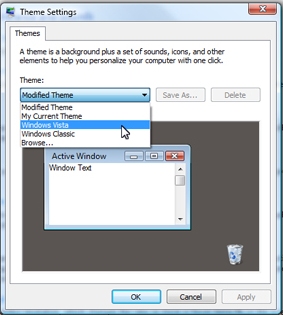
To open the Ease of Access Center, select:

  • Start.
  • Control Panel.
  • Ease of Access.
  • Ease of Access Center.

Read the rest of this entry »

Open Sourse Templates

October 26, 07 by ReniX

opensourcetemplates.png

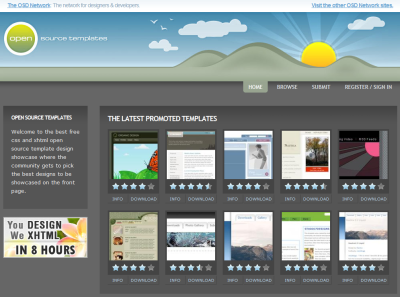
Some web-sites offer high quality templates for free. You can download Flash and CSS based layouts and use them for your personal and commercial projects.

Open Sourse Templates:

  • Open Source Templates
  • Master Templates
  • Open Source Web Design
  • Open Web Design
  • Interspire Free Templates
  • Template Monster
  • Template Navigator
  • Layouts 4 Free
  • Free CSS Templates
  • Dotcom Web Design
  • Free Flash Template
  • Steve?s Free Templates
  • Ricky?s Web Templates
  • Read the rest of this entry »

    Search Engines and Directories

    October 26, 07 by ReniX

    Search, the holy grail that pushed Google into global Internet domination, is still coveted by many. The fact that most users don’t even consider switching Google for anything else doesn’t mean that there’s no innovation going on in the field of search. Quite the contrary; which can also be seen from the list below.

    General Information Search Engines

    google.gif


    Google - Does it need any explanation? In case you haven’t been online in the last 10 years, this is the largest, most popular and widely used search engine on the planet.

    Yahoo - Much like Google above. Also a widely used general information search engine.

    DogPile - Compiles results from some of the major search engines such as Google, Yahoo and Windows Live Search.

    AltaVista - Search the web, audio, images, videos and news. You can also search WorldWide or narrow your results to U.S. Only.

    Windows Live Search - Search the web and get your own personalized page filled with information you love.

    Zuula - Search the web with results from all of the major search engines, you can also specify which search engines you want results from. You can also add the Zuula search to your Firefox search box.

    Mamma.com - A meta search engine. Not only can you search the web for information and videos you can also search the white and yellow pages.

    Ask.com - Find whatever you are looking for quickly and easily. You can search the web for images, blogs, news and much more. Ask has recently had a redesign and some reports have been very positive about it.

    WebCrawler - Why settle for one search engine when you can have them all. Get your results mixed together from Google, Yahoo, Windows Live and more.

    Netscape Search - Search the web for your favorite information with Netscape. Not the best search engine out there by any means, but solid; mostly used by Netscape users.

    MetaCrawler - Search the web, yellow pages and white pages from one place.

    Clusty - A twist on typical search engines. Clusty not only lists your results like you are used to seeing, but it also breaks them into clusters, or categories, making finding the desired results a little easier.

    Excite - A search engine and much more. Get your own customized page with news, horoscopes, local weather and more.

    MozDex - A search engine seeded from the Dmoz Directory, it is powered by open source technology.

    Kanoodle - This is a pay-per-click sponsored search engine. This means you can pay for inclusion, if you are trying to drive traffic to your site.

    ExactSeek - Large online search engine, you can search the web, blogs, news and articles. You can include your site for free or featured/paid inclusion.

    AlltheWeb - Search results are provided by Yahoo. You can also search specifically for news, audio and video all in 36 different languages.

    Lycos - Lycos search results are powered by Ask.com and much like Excite you can customize the homepage to suit your interests.

    ScrubtheWeb - On top of searching the web, this site is also a host to many great web developer tools, like the meta tag builder and analyzer.

    LemmeFind - Meta search engine that pulls results from Google. Yahoo and MSN.

    Read the rest of this entry »

    Mac OS X Leopard

    October 26, 07 by ReniX

    leopard.png

    The new look of Leopard showcases your favorite desktop image and puts new file stacks at your fingertips for a stunning, clutter-free workspace.

    Learn more…

    Netscape - The Return

    October 25, 07 by ReniX

    netscapev2.png

    What’s New in Netscape Navigator 9?

    The following features are new and unique to Netscape Navigator 9.

    Visual Refresh
    Netscape Navigator 9’s theme has been updated to save screen-space and leave more room for the websites you visit.
    URL Correction
    Navigator 9 will automatically correct common typos in URLs. For example, if you accidentally type googlecom, Navigator will fix it be to google.com. The browser will watch for nearly 30 different types of common mistakes and correct them for you (asking you to confirm, if you choose to enable confirmation).
    Link Pad
    The Link Pad is a new sidebar feature that allows you to save links/URLs that you want to visit later without cluttering your bookmarks. Just drag a link over the Link Pad status bar icon and drop it to save it in the Link Pad. By default, clicking on an item in the Link Pad will open it in the browser and remove it from the list, saving you the step of deleting it.
    Extension Compatibility

    Read the rest of this entry »

    Page 1 of 812345678»
    Close
    E-mail It